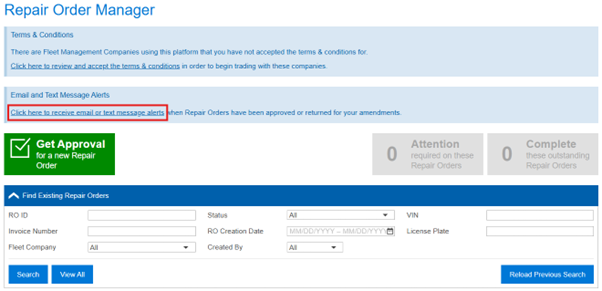
When first logging in to Auto Integrate and accessing the Repair Order Manager, you will see a prompt to enable SMS or Email alerts, click the highlighted section to get started
ADDING
NEW ALERTS
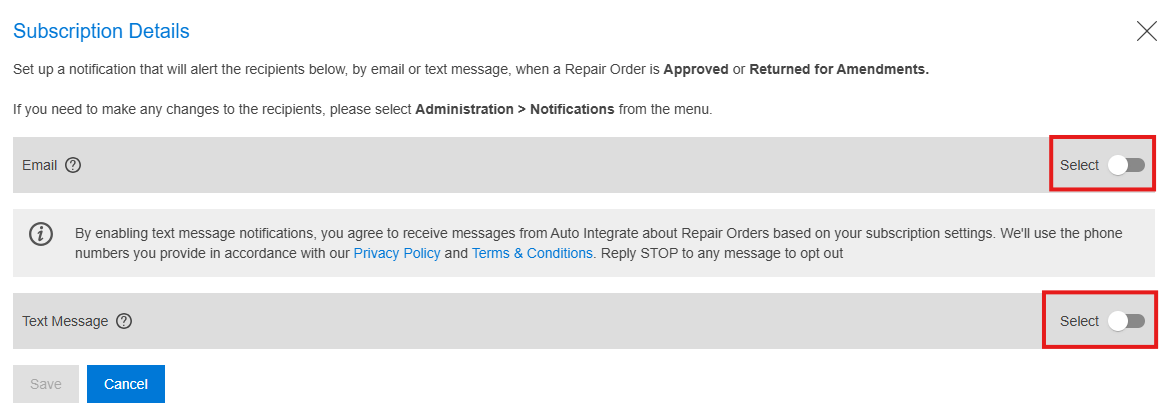
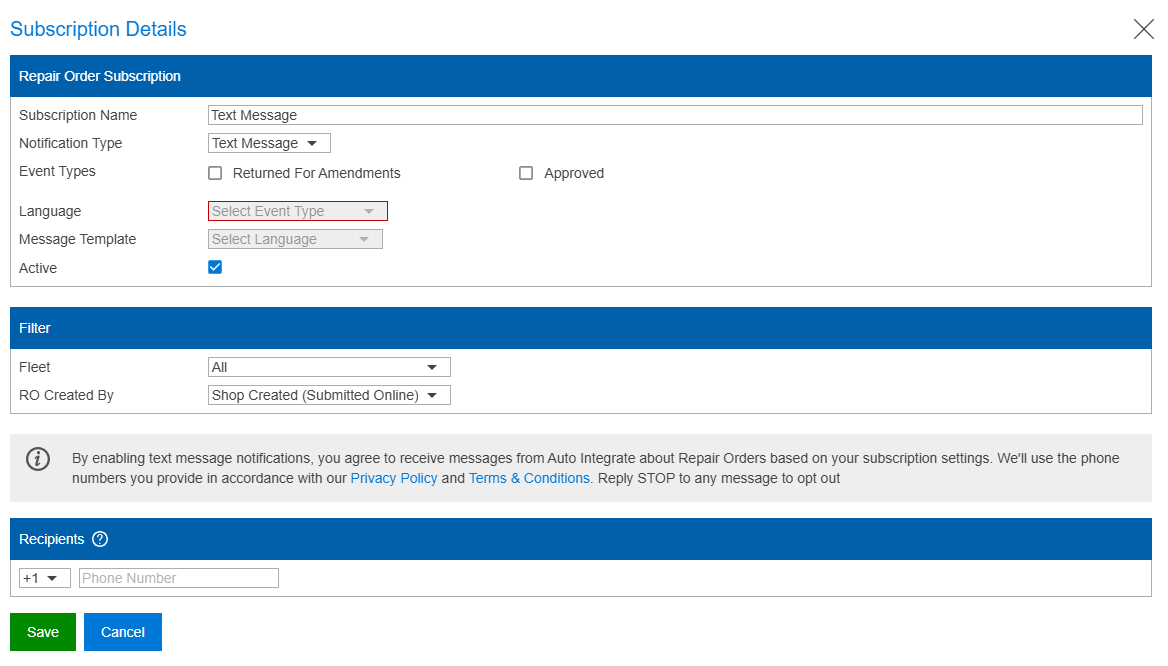
In the Subscription Details popup, you can select which notification types you would like to receive
ADDING
RECIPIENTS
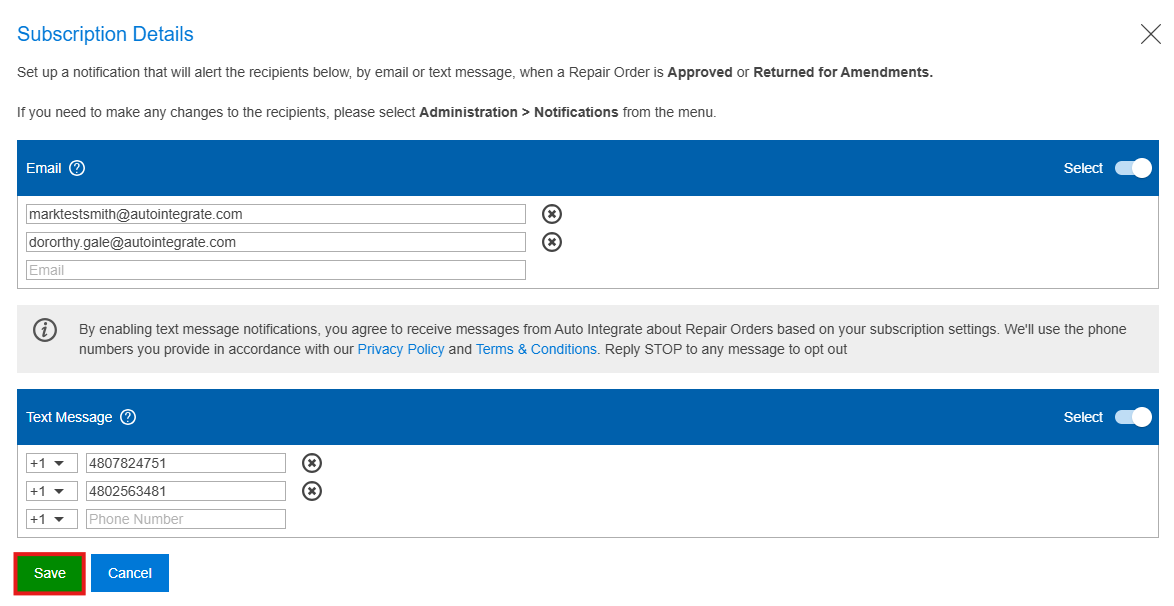
Then, enter the relevant phone numbers and emails you would like to receive notifications.
Finally, click save to create the subscription
CONFIGURING
NEW ALERTS
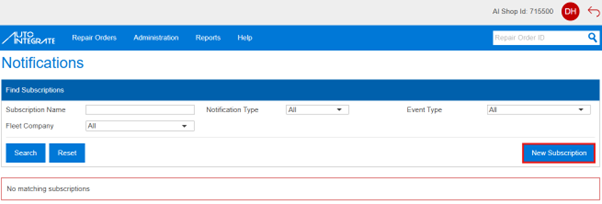
To manually set up, edit or deactivate a subscription you will need the Shop Admin role. Navigate to ‘Administration > Notifications’. Then, click ‘New Subscription’
ALERT
DETAILS
Enter a friendly ‘Subscription Name’ to easily identify the subscription and select the notification type you would like to receive
EVENT
TYPES
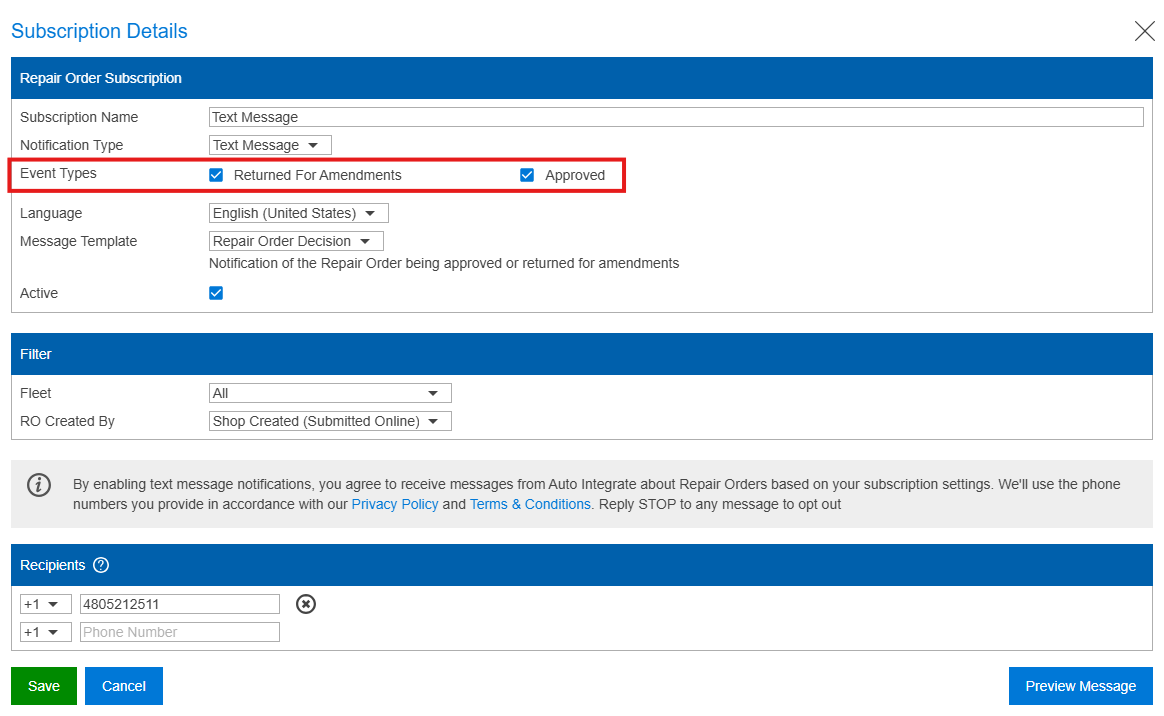
Then, select the event types you wish to receive
SAVING
YOUR ALERT
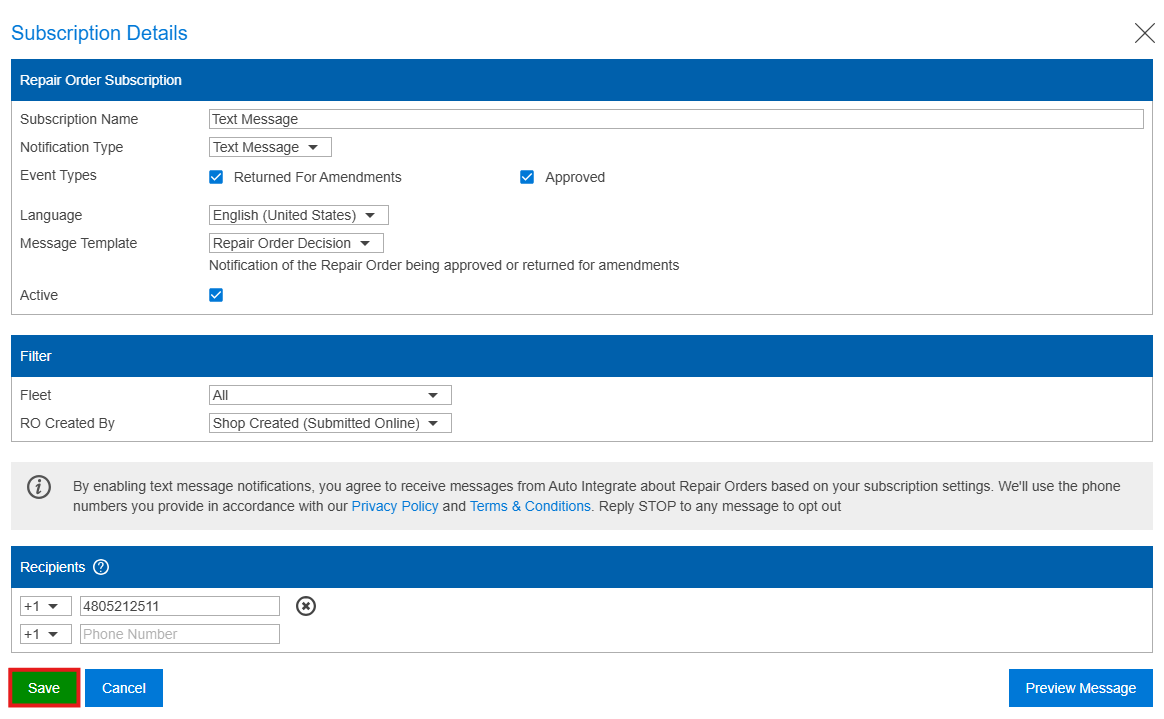
Finally, you can further filter the Subscription’s applicable fleets (if you need a fleet specific notification only) and add the phone numbers you would like to receive the notifications at the bottom.
Finally, click save once you have entered all applicable information
EDITING
YOUR ALERT
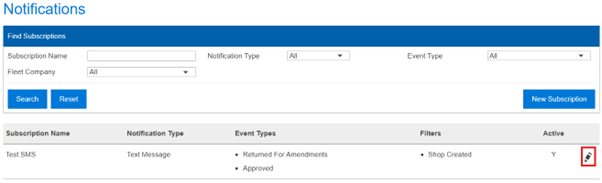
To edit an existing subscription, simply click the edit icon to the right-hand side of the applicable row
DEACTIVATING
YOUR ALERT
You can then edit the subscription as needed. Remove phone numbers or emails from the subscription by clicking the ‘x’ icon to the right-hand side of the relevant recipient
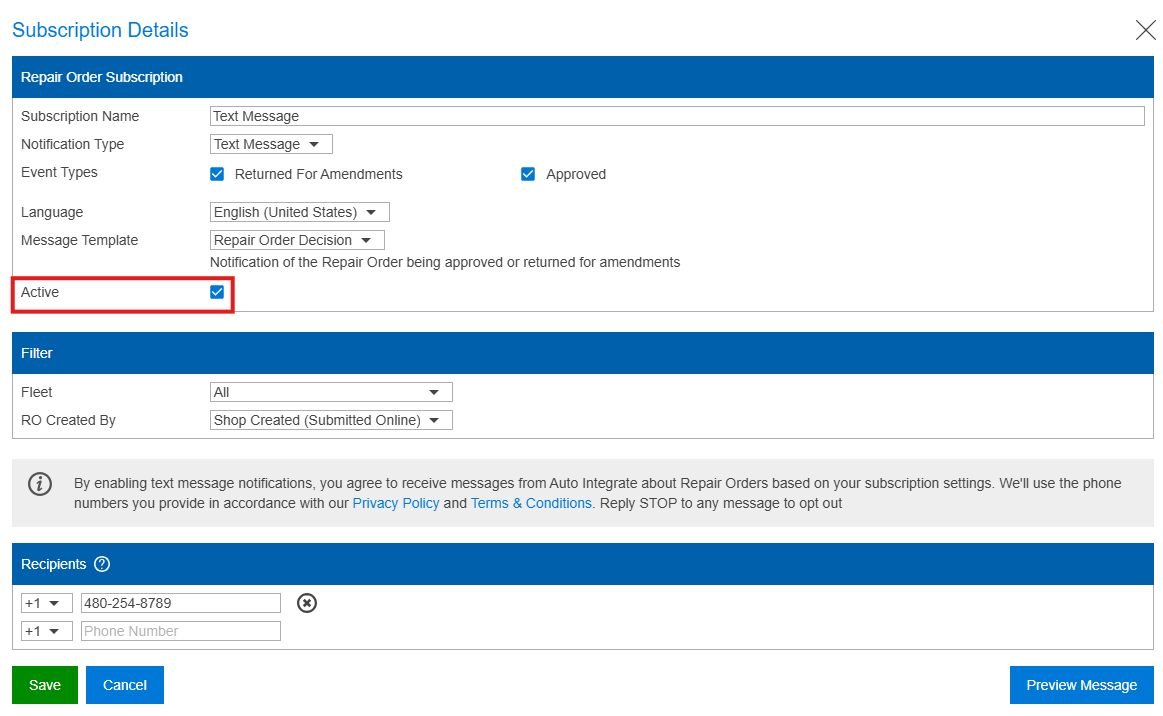
To deactivate the subscription outright, uncheck the ‘Active’ checkbox and save:
STARTING
TEXT MESSAGES
To allow a previously blocked phone number to start receiving SMS updates from Auto Integrate, text ‘START’ to 229-922-2886 at any time. This will:
Allow your phone number to be added back to subscriptions
Allow your number to receive any text messages from Auto Integrate
STOPPING
TEXT MESSAGES
To stop a phone number from receiving SMS updates from Auto Integrate, text ‘STOP’ to 229-922-2886 at any time. This will:
Remove your phone number from existing subscriptions
Stop your number from being added to any new subscriptions
Stop your number receiving any text message updates from Auto Integrate
NEED
MORE HELP?
Use our User Guide to have an overview of the system or contact our support team
Enter the username or e-mail you used in your profile. A password reset link will be sent to you by email.
Manage Consent
To provide the best experiences, we use technologies like cookies to store and/or access device information, monitor and record activities on our site, and assist in marketing activities. Consenting to these technologies will allow us to process data such as browsing behaviour or unique IDs on this site. Not consenting or withdrawing consent, may adversely affect certain features and functions.
Functional
Always active
The technical storage or access is strictly necessary for the legitimate purpose of enabling the use of a specific service explicitly requested by the subscriber or user, or for the sole purpose of carrying out the transmission of a communication over an electronic communications network.
Preferences
The technical storage or access is necessary for the legitimate purpose of storing preferences that are not requested by the subscriber or user.
Statistics
The technical storage or access that is used exclusively for statistical purposes.The technical storage or access that is used exclusively for anonymous statistical purposes. Without a subpoena, voluntary compliance on the part of your Internet Service Provider, or additional records from a third party, information stored or retrieved for this purpose alone cannot usually be used to identify you.
Marketing
The technical storage or access is required to create user profiles to send advertising, or to track the user on a website or across several websites for similar marketing purposes.
To provide the best experiences, we use technologies like cookies to store and/or access device information. Consenting to these technologies will allow us to process data such as browsing behaviour or unique IDs on this site. Not consenting or withdrawing consent, may adversely affect certain features and functions.
Functional
Always active
The technical storage or access is strictly necessary for the legitimate purpose of enabling the use of a specific service explicitly requested by the subscriber or user, or for the sole purpose of carrying out the transmission of a communication over an electronic communications network.
Preferences
The technical storage or access is necessary for the legitimate purpose of storing preferences that are not requested by the subscriber or user.
Statistics
The technical storage or access that is used exclusively for statistical purposes.The technical storage or access that is used exclusively for anonymous statistical purposes. Without a subpoena, voluntary compliance on the part of your Internet Service Provider, or additional records from a third party, information stored or retrieved for this purpose alone cannot usually be used to identify you.
Marketing
The technical storage or access is required to create user profiles to send advertising, or to track the user on a website or across several websites for similar marketing purposes.